
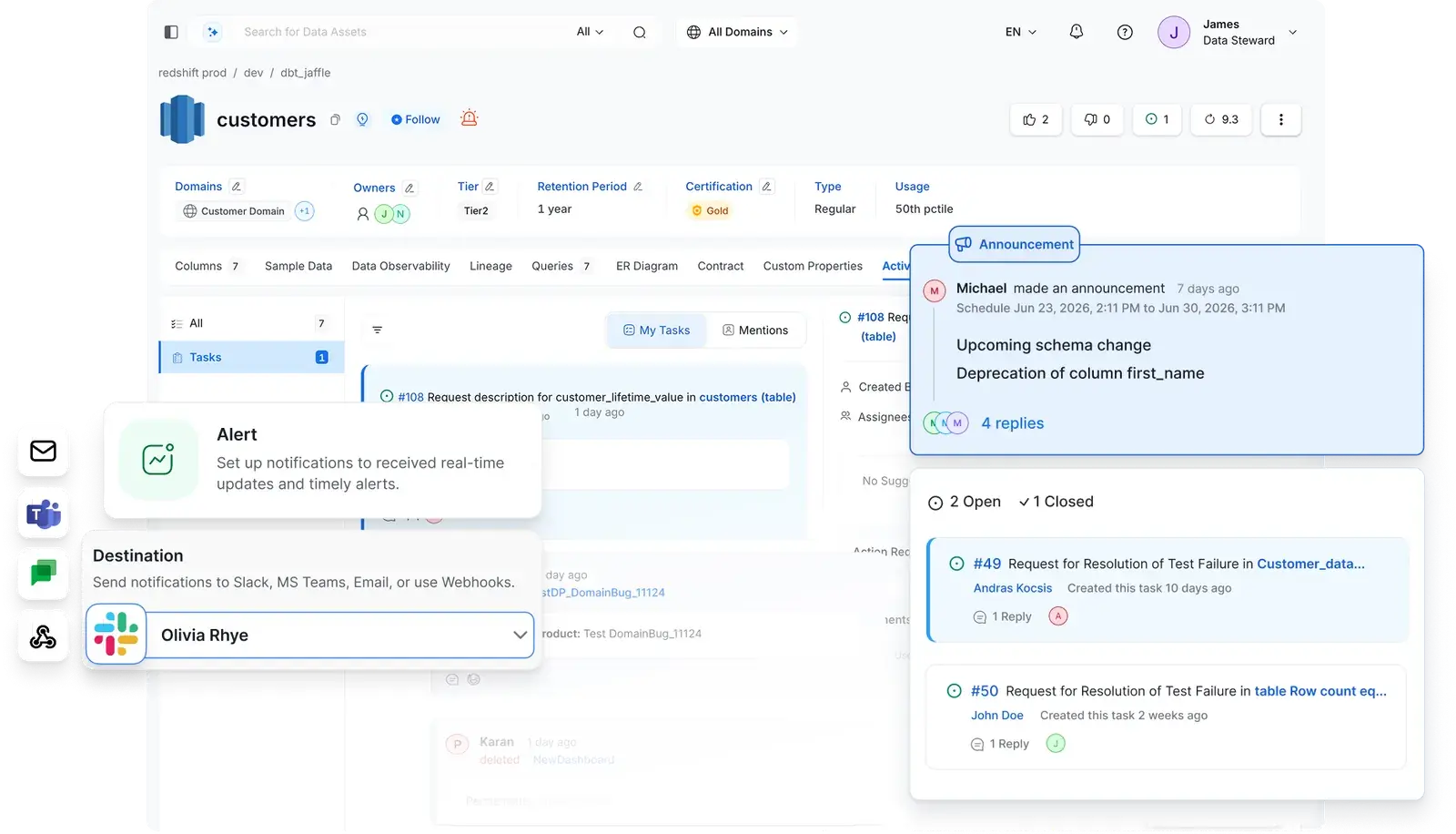


Collaborate where data lives
Ask questions, flag issues, and resolve them directly on the asset, column, or glossary term

Stay ahead of changes
Announce schema changes and deprecations before they reach downstream consumers

Make tribal knowledge institutional
Capture governance docs, architecture decisions, and usage guides, linked to the assets they describe
Collaborate Where the Data Lives
A complete audit trail of who did what, attached to the data itself
![[object Object]](/_next/image?url=%2Fimages%2Fai-native-experience%2Freason.webp&w=3840&q=75)
Stay Ahead of Changes
Proactive change coordination that prevents downstream incidents
![[object Object]](/_next/image?url=%2Fimages%2Fdata-collaboration%2Fscheduled-announcements.png&w=3840&q=75)
Make Tribal Knowledge Institutional
Long-form knowledge that stays connected to your data
![[object Object]](/_next/image?url=%2Fimages%2Fdata-collaboration%2Fcontext-center.png&w=3840&q=75)
Built for modern data & AI practices
Designed for changing needs of data & AI teams
AI-Driven Automation
Improve productivity, enforce governance and reduce costs with AI driven automation
Unified Platform
One platform for all your teams for data discovery, observability and governance
Collaborate Around Data
Accelerate development of data assets with social workspaces and knowledge centers
Get started with Collate today for free
Get Collate FreeManaged Service for Production Data Teams
Book a DemoFAQs
Data collaboration in Collate keeps all team communication about data attached to the data itself. Users discuss assets in conversation threads, create tasks for documentation updates, announce upcoming changes with scheduled banners, and write long-form knowledge articles that link directly to data assets. Every action is logged in an activity feed with full attribution.
Activity feeds show a chronological log of everything that happens to a data asset: description changes, tag updates, ownership shifts, schema modifications, and quality events, each with the exact user, timestamp, and diff. Feeds are available at the asset level, user level, and org-wide on the home page. AI agent actions appear in the same feed as human edits, so the audit trail covers automated work too.
Threads can be started on any data asset, column, description, tag, or glossary term. Users reply, react with emojis, and @mention teammates — all in context. Threads are visible in the activity feed and stay attached to the specific element being discussed.
Data owners schedule announcements with a title, description, and a start/end date. During the active window, a banner appears on the asset detail page for all followers, so anyone who views that table before a breaking change sees the notice, not just those who caught the external message. Alerts also route via email, Slack, MS Teams, or webhooks.
Context Center is a built-in long-form documentation hub. Teams write rich articles, upload documents, and define memories, covering architecture decisions, governance frameworks, usage tutorials, and best practices, then link them to the relevant data assets, glossary terms, and domains. Articles have version history, comments, bookmarks, upvotes, and a nested hierarchy so knowledge is organized, not buried.
Activity feed alerts, announcement notifications, and task updates can all route via Slack, MS Teams, email, or custom webhooks. Data leaders can also receive governance summaries and KPI updates directly in Slack via AskCollate without logging into Collate at all.
The Context Center is purpose-built for data context and complements tools like Confluence and Notion. Everything in Context Center feeds into the Collate open context layer, meaning AskCollate and Collate agents are further enriched with existing corporate knowledge. The knowledge serves both humans browsing the platform and AI operating on their behalf. Articles let you link directly to existing wiki pages and attach them to specific data assets, glossary terms, and domains inside Collate. Documents lets you upload PDFs, Word files, and other standalone content directly into Collate, creating a central home for materials that would otherwise live outside the platform. Memories capture rules or guidelines directly on an asset, for the kind of nuance that never makes it into a formal doc.